

Introduction
As a UK-based YouTube creator, understanding your channel’s revenue potential is essential. One crucial metric to track is your YouTube RPM (Revenue Per Mille), which directly impacts your overall earnings. In this comprehensive guide, we’ll explore the ins and outs of UK YouTube RPM in 2026 – from what it is and how to calculate it, to typical ranges and effective strategies to boost your earnings.
What is YouTube RPM?
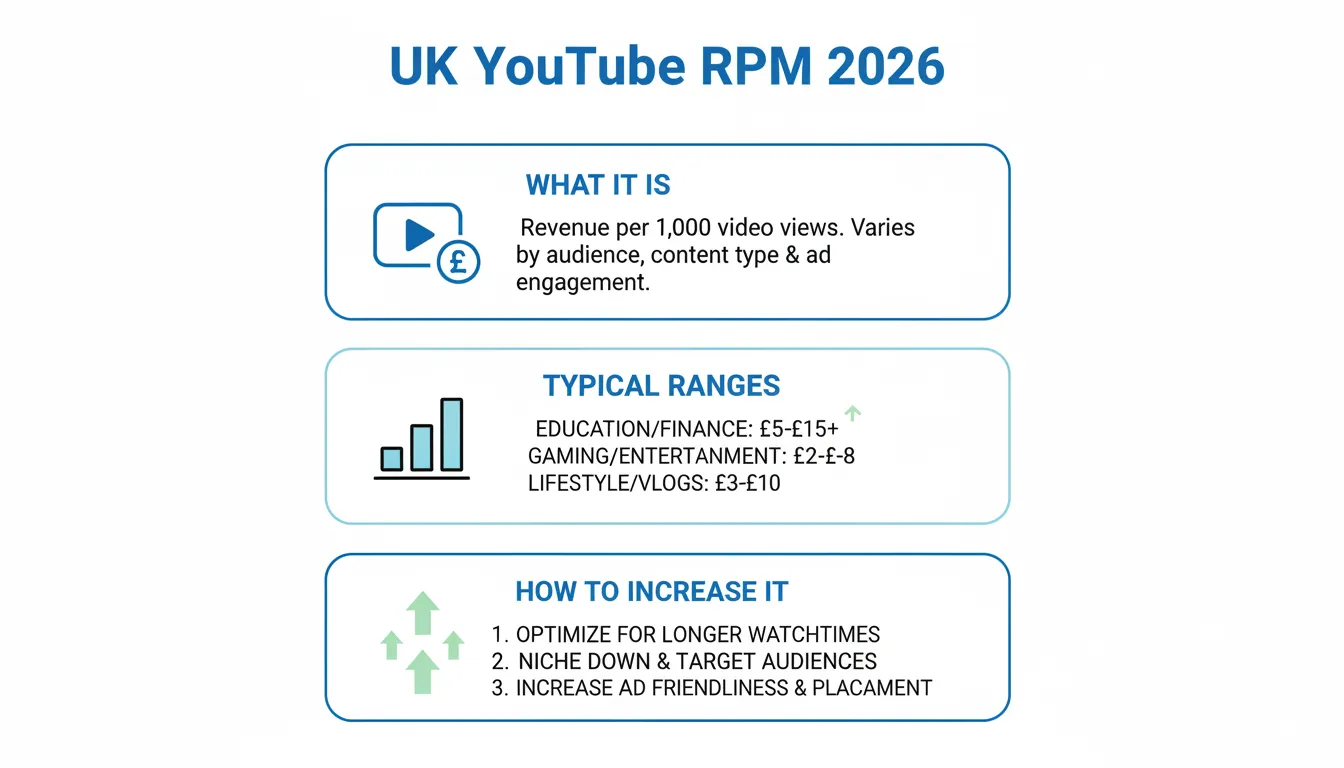
YouTube RPM, or Revenue Per Mille, is a metric that measures your channel’s earnings per 1,000 video views. It encompasses various revenue sources, including advertisements, YouTube Premium, Super Chat, channel memberships, and more.
It’s important to note that YouTube RPM differs from CPM (Cost Per Mille), which is the advertiser-focused metric that represents the amount an advertiser pays per 1,000 ad impressions. RPM is the creator-focused metric, as it reflects your actual earnings after YouTube’s revenue share.
RPM vs. CPM: Understanding the Difference
The key distinction between RPM and CPM is that CPM is the amount an advertiser pays per 1,000 ad impressions, while RPM is the amount you, the creator, earn per 1,000 video views. CPM is calculated before YouTube’s revenue share, while RPM is calculated after.
For example, if the CPM for your video is £5, and YouTube’s revenue share is 45%, your actual RPM would be around £2.75 (£5 CPM × 55% revenue share).
Factors Affecting UK YouTube RPM in 2026
Several factors can influence your UK YouTube RPM in 2026, including:
Viewer Location
The location of your viewers can significantly impact your RPM. UK-based viewers typically have a higher RPM compared to viewers from other countries, as the UK is considered a Tier 1 advertising market.
Content Niche
The topic and category of your content can also affect your RPM. Some niches, such as finance, technology, and software, tend to have higher RPM values, while others, like gaming or entertainment, may have lower RPM ranges.
Seasonality
YouTube RPM can fluctuate throughout the year, with Q4 (October-December) typically seeing the highest RPM due to increased advertiser demand during the holiday season.
Ad Suitability and Brand Safety
The suitability of your content for advertisers, as well as your channel’s brand safety, can impact your RPM. YouTube may restrict monetization on content it deems unsuitable or potentially unsafe for advertisers.
Video Length and Midroll Ads
Longer videos (8+ minutes) allow for midroll ad placements, which can increase your RPM. Shorter videos, such as YouTube Shorts, may have a lower RPM.
Monetization Coverage
The percentage of your total views that are eligible for monetization (i.e., have ads displayed) can also affect your RPM. Higher monetization coverage generally leads to higher RPM.
Typical UK YouTube RPM Ranges in 2026
It’s important to note that RPM can vary greatly depending on the factors mentioned above. However, here are some typical UK YouTube RPM ranges we can expect in 2026:
Long-Form Content
– High-Earning Niches (Finance, Tech, Software): £5 – £12 RPM
– Medium-Earning Niches (Business, B2B): £3 – £8 RPM
– Lower-Earning Niches (Gaming, Entertainment): £2 – £6 RPM
YouTube Shorts
– High-Earning Niches: £1 – £3 RPM
– Medium-Earning Niches: £0.50 – £2 RPM
– Lower-Earning Niches: £0.25 – £1 RPM
These ranges are based on industry data and observed trends, but keep in mind that your actual RPM may vary depending on your specific channel, content, and audience.
How to Find Your RPM in YouTube Studio
To find your RPM in YouTube Studio, follow these steps:
1. Go to the Analytics section of your YouTube Studio.
2. Click on the “Revenue” tab.
3. Look for the “RPM” metric, which will show your earnings per 1,000 video views.
You can also filter the data by time range and geography to see how your RPM varies over time and across different regions.
Calculating RPM Manually
If you want to calculate your RPM manually, you can use the following formula:
RPM = (Total Revenue / Total Views) × 1,000
For example, if your total revenue for the month was £500 and your total views were 100,000, your RPM would be:
RPM = (£500 / 100,000) × 1,000 = £5
Strategies to Increase Your UK YouTube RPM in 2026
To maximize your UK YouTube RPM in 2026, consider implementing the following strategies:
1. Produce Longer, Higher-Retention Content: Focus on creating engaging, informative videos that keep viewers watching for longer. This can increase the likelihood of midroll ad placements, which tend to have higher RPM.
2. Improve Ad Suitability and Brand Safety: Ensure your content is suitable for advertisers and adheres to YouTube’s policies to avoid monetization restrictions.
3. Target Higher-Value UK Search Intents: Optimize your content and titles to attract viewers searching for commercial or high-intent keywords, which tend to have higher RPM.
4. Optimize for Returning Viewers: Build a loyal audience that regularly engages with your content, as returning viewers often have a higher RPM.
5. Diversify Revenue Streams: Explore additional monetization opportunities beyond ads, such as channel memberships, Super Chat, and YouTube Premium revenue, to increase your overall RPM.
FAQ
What is a good RPM in the UK?
A good RPM in the UK can vary depending on your niche and content type. As a general guideline, an RPM between £3 to £8 for long-form content and £0.50 to £2 for Shorts can be considered a solid performance.
Why did my RPM drop?
There are several possible reasons why your RPM may have dropped, including changes in viewer location, seasonality, ad suitability issues, or a shift in your content niche. Monitoring your analytics and adjusting your strategy accordingly can help mitigate RPM fluctuations.
Is Shorts RPM lower than long-form?
Yes, typically the RPM for YouTube Shorts is lower than the RPM for longer, traditional YouTube videos. This is because Shorts have a different monetization model and revenue share structure compared to long-form content.
Does CPM matter if I track RPM?
While CPM is an important metric for advertisers, as a creator, your primary focus should be on RPM. RPM takes into account the actual revenue you earn after YouTube’s revenue share, making it a more accurate representation of your channel’s earnings potential.
Advertisement
