
“`json
“`
YouTube Shopping represents one of the most lucrative opportunities for creators looking to diversify their income beyond traditional ad revenue. According to recent data, creators who implement shopping features see an average engagement increase of 35-40% on their product-focused content. Yet most creators aren’t eligible yet—and many don’t even know what the actual requirements are.
The reality is stark: YouTube Shopping isn’t available to all creators. There’s a specific set of eligibility criteria you must meet, technical specifications your channel needs to satisfy, and a geographic limitation that determines whether you can even access the feature. This isn’t about luck or timing. It’s about hitting concrete benchmarks that YouTube has established for 2026.
This guide breaks down exactly what you need to do. We’re covering every single requirement, the complete list of supported countries, and the actionable steps to get your channel YouTube Shopping-ready. By the end, you’ll know whether you qualify and what gaps you need to fill.
What Is YouTube Shopping and Why Creators Need It
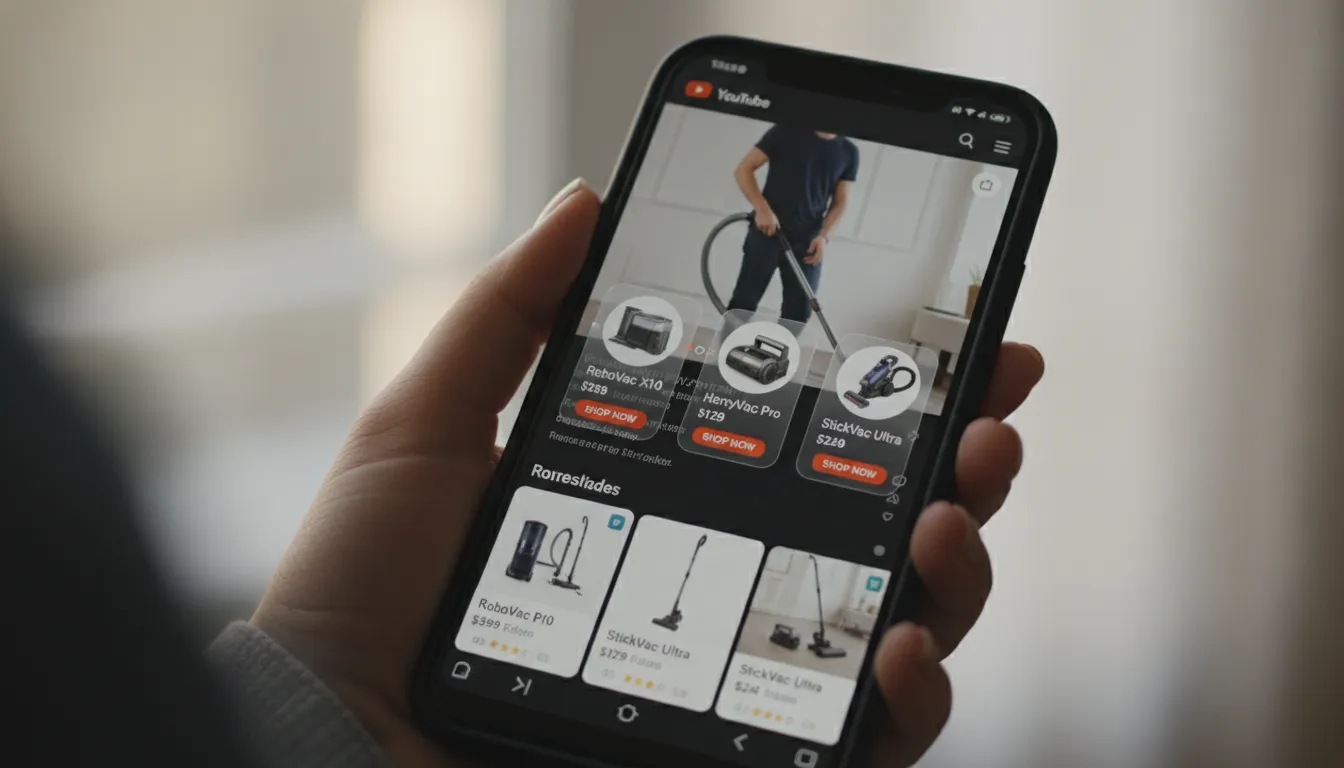
YouTube Shopping is Google’s integrated e-commerce feature that allows creators to tag products directly in their videos, Shorts, and community posts. When viewers click these tags, they see product information, pricing, availability, and links to purchase—without leaving YouTube. For creators, this means direct commission opportunities through the YouTube Shopping affiliate program.
Think of it as turning your video content into a direct sales channel. You’re not just entertaining or educating anymore. Every product you mention, demonstrate, or use becomes a potential revenue stream. A creator doing kitchen reviews can tag the mixer she’s reviewing. A fitness coach can tag the dumbbells in her workout videos. A fashion creator can tag every outfit component.
The affiliate commission structure varies by product and retailer, typically ranging from 2% to 20% depending on the category and your negotiated rates. For a creator with 500,000 subscribers getting 100,000 views per video, even modest commission rates can generate $500-2,000+ per video just from shopping tags.
But here’s the catch: YouTube has made this feature intentionally restricted. They’re not opening it to accounts with fake engagement, minimal reach, or poor community standing. This protects both YouTube’s brand and consumers from scammy product promotions. It also keeps the feature exclusive enough that creators who have it enjoy less competition.
YouTube Shopping Eligibility Requirements: The Complete Checklist
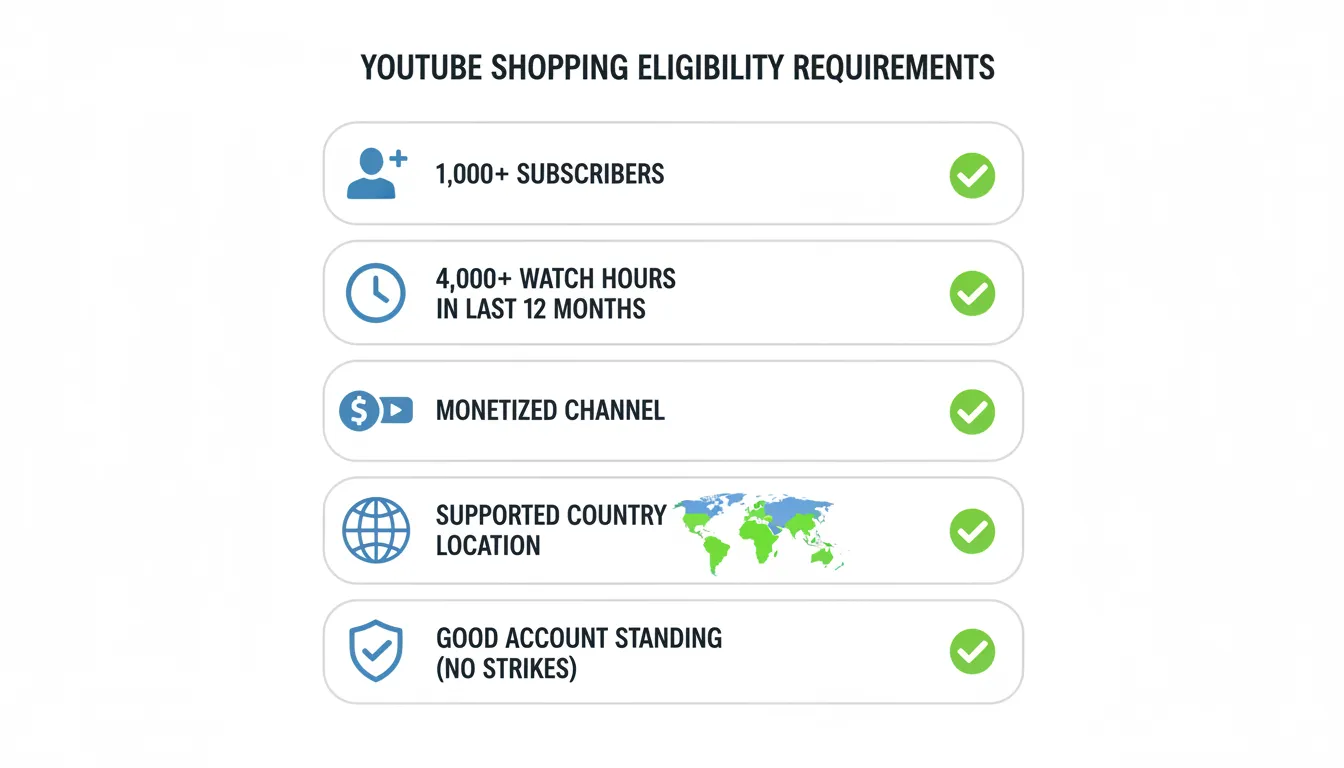
Before diving into technical requirements, understand this: YouTube Shopping eligibility is cumulative. You need to meet ALL of these requirements simultaneously. Missing even one disqualifies you entirely.
Subscriber Minimum Requirement
Your channel must have a minimum of 10,000 subscribers. This is non-negotiable. YouTube established this threshold to ensure creators have a meaningful audience and established credibility. A 10,000-subscriber baseline also filters out throwaway accounts and spam channels.
If you’re at 9,500 subscribers, you don’t have access. At 10,001, you do (assuming all other requirements are met). The good news? You don’t need massive numbers. You don’t need a million subscribers. Ten thousand is achievable for most creators willing to put in consistent work over 6-12 months.
Building to 10,000 subscribers requires:
– Consistency: Publishing on a regular schedule (weekly minimum)
– Niche focus: Serving a specific audience rather than everything
– Optimization: Using SEO in titles, descriptions, and tags
– Engagement: Responding to comments and community posts
– Collaboration: Cross-promoting with creators in your niche
Watch Hours and Engagement History
You need at least 100,000 public watch hours on your channel in the last 12 months. This isn’t just about subscriber count—it’s about proof that real humans are actually watching your content for meaningful durations.
One hundred thousand watch hours might sound like a lot (it’s roughly 11-12 years of continuous viewing), but distributed across even a small subscriber base, it’s achievable. A creator with 20,000 subscribers averaging 2,000 views per video with 10-minute average watch time hits this easily.
The watch hours requirement serves multiple purposes:
1. Verifies authentic engagement: Real viewers watch. Bots don’t.
2. Ensures consistent output: Requires ongoing content creation, not just one viral video.
3. Demonstrates audience trust: Long watch hours mean your audience values your content.
YouTube Partner Program Monetization Status
Your channel must be enrolled in the YouTube Partner Program (YPP) with monetization enabled. This means:
– Your channel meets YPP requirements (1,000 subscribers + 4,000 watch hours in the last 12 months for standard channels; 10,000 lifetime views for Shorts creators)
– You’ve passed YouTube’s community guidelines review
– You’re in good standing with no strikes or violations
– Monetization isn’t disabled on your account
YouTube requires YPP membership because Shopping is treated as an extension of monetization. The company wants creators who’ve already proven they create quality, guideline-compliant content.
If you have a YPP strike or your channel is flagged for guideline violations, YouTube Shopping access is frozen. This is intentional. YouTube Shopping is premium real estate in their ecosystem.
Account History and Community Standing
Your account must have a clean history with no recent violations or strikes. Specifically:
– No active strikes: Any community guidelines strike makes you ineligible
– No spam patterns: No history of spam, deceptive content, or artificial engagement
– Positive flagging history: Minimal false copyright claims or policy violations
– Account age: Your account should be at least 6 months old (generally)
YouTube reviews this holistically. They’re not just checking a box. They’re examining whether you’re a trustworthy creator who follows their rules.
Content Guidelines Compliance
Your content must comply with YouTube’s advertiser-friendly content guidelines. This doesn’t mean your content needs to be family-friendly (though that helps), but it should:
– Avoid hate speech, harassment, or bullying
– Not promote dangerous or illegal activities
– Not include excessive profanity (context matters)
– Not be sexually explicit
– Not spread misinformation
– Not include copyright-infringing material
YouTube Shopping is a monetization feature directly connected to advertising. If your content struggles to attract advertisers, it struggles to attract Shopping eligibility.
Geographic Location and Country Residency
You must reside in a supported country where YouTube Shopping is available. This is crucial—and the list is more restrictive than most creators realize.
YouTube Shopping Supported Countries 2026: Quick Reference Checklist
YouTube Shopping availability varies significantly by region. Here’s the complete list of currently supported countries where creators can access the YouTube Shopping affiliate program:
Supported Countries:
✅ North America
– United States
– Canada
– Mexico
✅ Europe
– United Kingdom
– France
– Germany
– Italy
– Spain
– Netherlands
– Belgium
– Austria
– Poland
– Czech Republic
– Romania
– Greece
– Portugal
– Ireland
– Hungary
– Sweden
✅ Asia-Pacific
– India
– Indonesia
– Philippines
– Thailand
– Vietnam
– South Korea
– Taiwan
– Australia
– New Zealand
– Singapore
✅ Latin America
– Brazil
– Argentina
– Colombia
– Chile
✅ Middle East & Africa
– United Arab Emirates
– Saudi Arabia
– South Africa
– Israel
✅ Other
– Japan
– Hong Kong
Important Notes:
– This list updates regularly. YouTube often expands access to new countries quarterly.
– Your payment address and primary residence must match the country.
– Some countries have additional local requirements (see India section below).
– If you’re in a non-supported country, you may still monitor your eligibility and get notified when your country becomes available.
If you’re in India specifically, there are additional considerations covered in our [YouTube Shopping Affiliate Program India 2026 guide](https://mykitchenincome.com/youtube-shopping-affiliate-program-india-2026-complete-eligibility-setup-guide-for-creators/).
Key Takeaways
Technical Setup Requirements for YouTube Shopping
Beyond eligibility, you need to configure your channel properly. This is often where creators stumble despite meeting subscriber and watch-hour requirements.
YouTube Studio Configuration
You must have YouTube Studio access with proper permissions. This means:
– Creator account type: Not a brand account (though you can manage a brand account)
– Authorization: Proper two-factor authentication enabled
– Studio access: Ability to navigate and edit channel settings
– Video access: Permission to edit video details and metadata
If you run your channel through a brand account or manager account without direct creator access, this can block Shopping eligibility.
Channel Customization Requirements
Your channel needs proper branding and information:
– Channel name: Clear, professional name
– Channel description: Detailed description of your content (200+ characters)
– Channel art: Professional profile picture and banner
– About section: Link to external website (if applicable)
– Contact information: Business email on file
These aren’t just aesthetic. YouTube uses this information to verify legitimacy.
Product Catalog and Data Feed Connection
You need to connect a product data feed. YouTube Shopping accepts:
– Google Merchant Center: Most common. Required for product details, pricing, availability
– Compatible e-commerce platforms: Shopify, WooCommerce, BigCommerce (with proper integration)
– Affiliate networks: Commission Junction, ShareASale (for affiliate products)
Your product data must include:
– Product images (high quality, 1000x1000px minimum)
– Accurate pricing
– Product descriptions
– Inventory status (in stock/out of stock)
– Links to product pages
Step-by-Step: Getting Your Channel YouTube Shopping-Ready
Assuming you already have 10,000 subscribers and are monetized, here’s what to do next.
Step 1: Verify All Eligibility Requirements
Open a document and verify each requirement:
1. Subscriber count: __________ (must be 10,000+)
2. Watch hours (last 12 months): __________ (must be 100,000+)
3. YPP status: Active? Yes / No
4. Community guidelines strikes: __________ (must be zero)
5. Country supported: __________ (check against list above)
6. Account age: __________ (must be 6+ months)
Timeline: 1-2 hours to verify
If any requirement shows a gap, focus there first. You can’t move forward until all boxes check.
Step 2: Clean Your Channel and Content
Review your recent content for any policy violations or guideline issues.
Actions:
– Watch your last 10-20 videos
– Check for copyright claims or age restrictions
– Note any videos with spam comments (delete spam)
– Ensure thumbnails and titles aren’t misleading
– Remove any videos with serious guideline issues
Consider making 3-5 recent videos unavailable if they violate guidelines. It’s better to reduce your watch hours slightly than to have strikes.
Timeline: 3-5 hours to review
Step 3: Set Up Google Merchant Center
If you haven’t already, create a Google Merchant Center account (free). This is how you’ll feed product data to YouTube Shopping.
Steps:
1. Go to merchants.google.com
2. Create account or sign in with existing Google account
3. Add your business information
4. Verify website ownership (if promoting your own products)
5. Create product feed (CSV, XML, or through e-commerce platform connection)
6. Ensure all products have required fields: title, description, image, price, link, availability
If you’re promoting affiliate products rather than your own:
– Use your affiliate links in product data
– Ensure affiliate network provides compatible data feeds
– Commission Junction, ShareASale, and Impact all support this
Timeline: 4-8 hours to set up properly
Step 4: Enable Shopping in YouTube Studio
Once you’re verified through Google Merchant Center:
1. Log into YouTube Studio
2. Navigate to Monetization → Shopping
3. Link your Google Merchant Center account
4. Authorize YouTube to access your product feed
5. Review product data quality score
6. Enable Shopping features for your channel
YouTube will review your product data and channel quality. This review typically takes 7-14 days.
Timeline: 30 minutes to configure + 7-14 days for YouTube review
Step 5: Tag Products in Your Videos
Once approved, you can begin tagging:
1. Edit existing or new video
2. Click “Details” tab
3. Scroll to “Products” section
4. Click “Select products” or “Add products”
5. Search for products in your feed
6. Add product link and name
7. Publish or save changes
Products appear as clickable tags and shelves in your video player.
Timeline: 2-5 minutes per video
Step 6: Monitor Performance and Optimize
YouTube Shopping provides analytics:
– Product clicks: How many times products were clicked
– Click-through rate: Percentage of viewers who clicked
– Revenue: Estimated affiliate earnings
– Top products: Which products drive engagement
Review this weekly. Double down on products with high click-through rates. Remove or replace underperforming products.
Timeline: Ongoing weekly check-ins (15 minutes)
Tools and Resources for YouTube Shopping Setup
Essential Tools:
| Tool | Purpose | Cost |
|——|———|——|
| Google Merchant Center | Product data management | Free |
| YouTube Studio | Channel management | Free |
| TubeBuddy or VidIQ | SEO optimization | $9-99/month |
| Canva Pro | Thumbnail/banner design | $13/month |
| Google Analytics | Traffic analysis | Free |
| Commission Junction | Affiliate product feeds | Free |
| ShareASale | Affiliate products | Free |
| Shopify | If selling own products | $29-399/month |
Learning Resources:
– [YouTube Creator Academy: Shopping Features](https://creatoracademy.youtube.com) (Free)
– [Google Merchant Center Help](https://support.google.com/merchants) (Free)
– [YouTube Shopping Eligibility Requirements 2026 Guide](https://mykitchenincome.com/youtube-shopping-eligibility-requirements-2026-the-creators-checklist-for-earning-affiliate-income/) (Our Complete Resource)
– [The YouTube Shopping Affiliate Program in India: A Creator’s Guide](https://mykitchenincome.com/the-youtube-shopping-affiliate-program-in-india-a-creators-guide-to-eligibility-and-setup-in-2026/) (India-Specific)
Budget Estimate for Getting Started:
– Google Merchant Center setup: $0
– YouTube Studio access: $0
– Optional SEO tools: $0-50/month
– Design tools: $0-13/month
– Domain/website (optional): $0-120/year
Total minimum: $0 to start (YouTube Shopping itself costs nothing to use)
Pros and Cons of YouTube Shopping for Creators
Advantages:
✅ Diversified income: Commission revenue separate from ad revenue
✅ Viewer convenience: Products stay within YouTube ecosystem
✅ Flexible monetization: Works alongside other income streams
✅ Low barrier to entry: No upfront costs to set up
✅ Data insights: Detailed analytics on product performance
✅ Organic discoverability: Products appear in search and recommendations
✅ Multiple revenue tiers: Commissions vary by product category
✅ Creator control: You choose which products to tag
Disadvantages:
❌ Strict eligibility: 10,000+ subscribers required, geographic restrictions
❌ Country limitations: Not available in all regions
❌ Modest commissions: 2-20% range (lower than some affiliate networks)
❌ Competition:
Advertisement
